Test mode bank accounts can be created two ways: Create new directly, or Replicate from Live. The choice affects VA operation permissions.
Two ways to create a Test mode bank account
| How created | VA permissions |
|---|---|
| Create new | Create, delete, toggle VAs (per bank) |
| Replicate from Live | Read-only, no create, delete, or toggle |
Newly-created account
Create at Test mode → Bank Accounts → Add New.
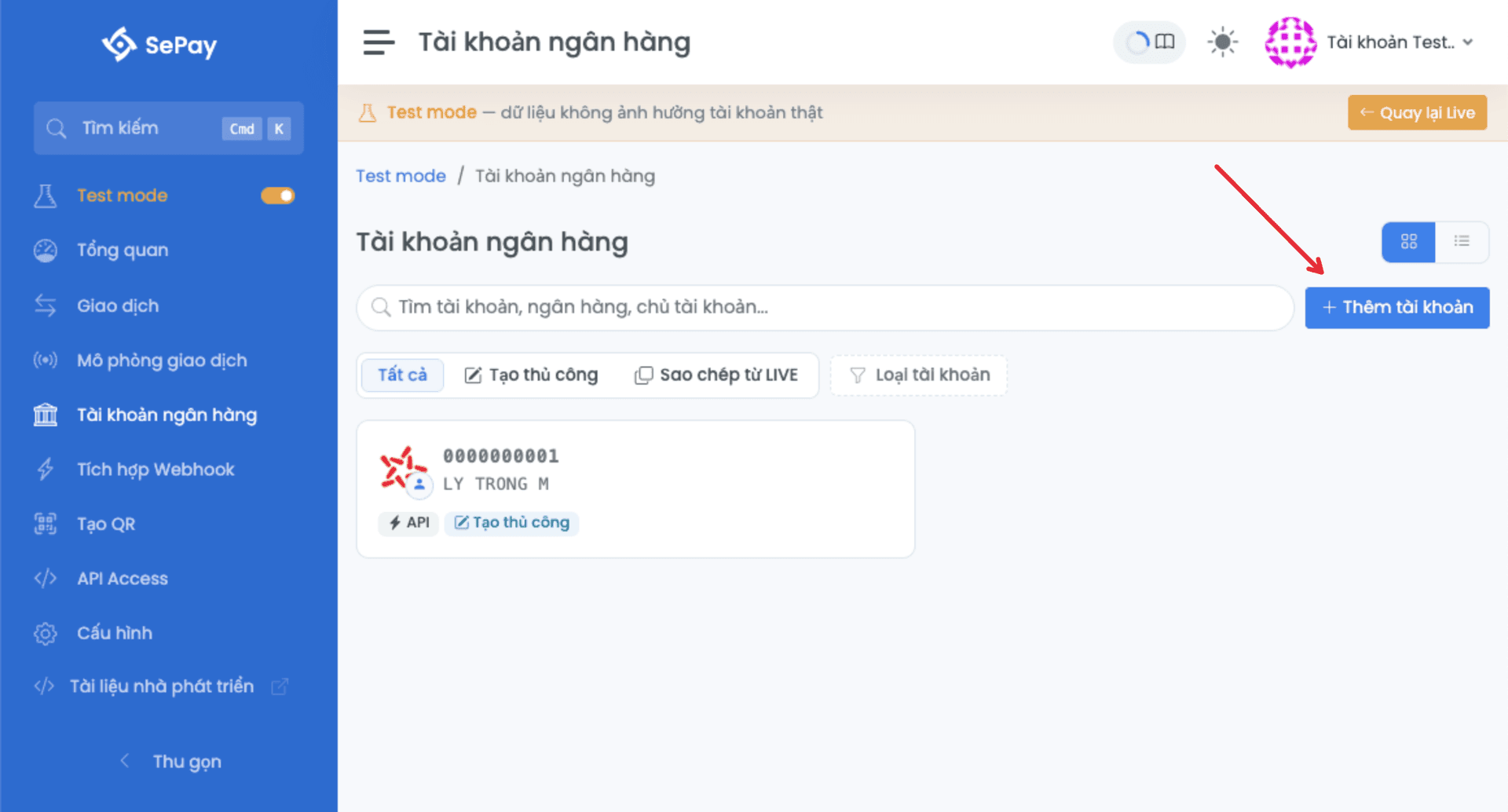
Click to expand
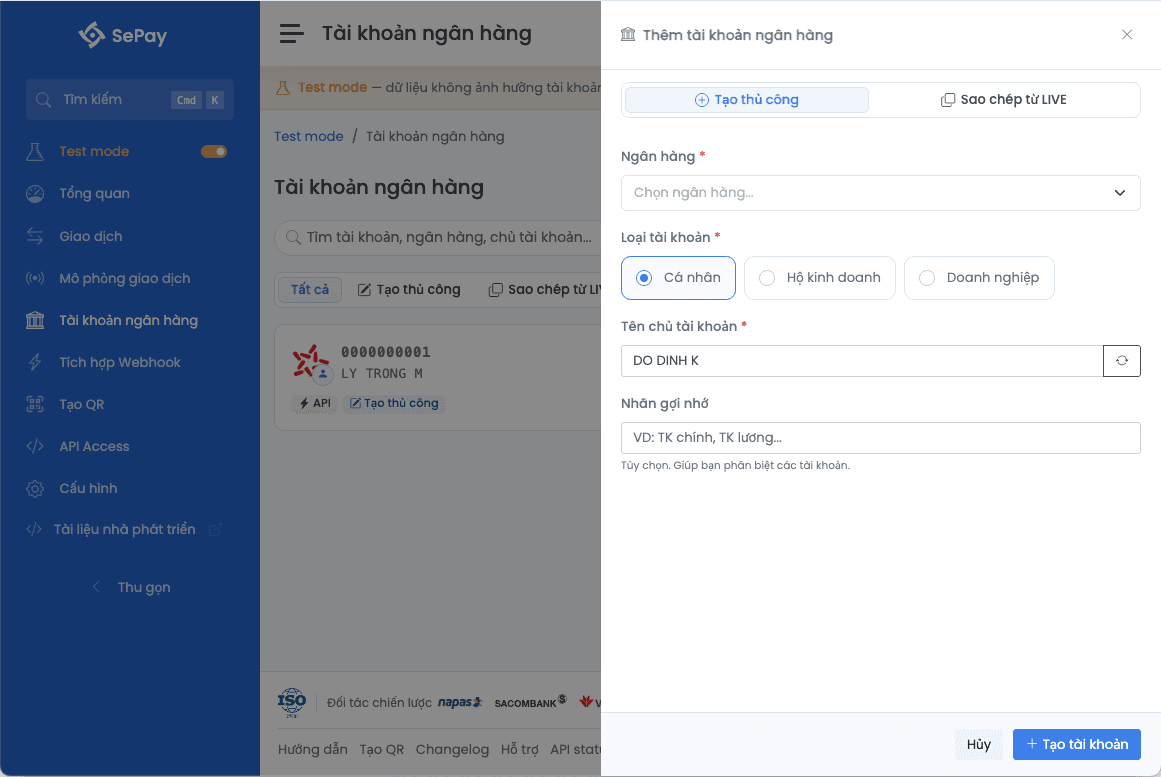
Click to expand
| Field | Description |
|---|---|
| Bank | Pick from SePay's supported bank list |
| Account holder name | Auto-generated based on account type; you can override with your own value |
| Account number | 10 digits, system-assigned |
| Account type | Individual, enterprise, business household |
The account holder name is auto-generated by account type:
| Account type | Name format | Example |
|---|---|---|
| Individual | Random Vietnamese name without diacritics | NGUYEN VAN A |
| Enterprise | CONG TY TNHH TEST + random hex string | CONG TY TNHH TEST A1B2 |
| Business household | HO KINH DOANH TEST + random hex string | HO KINH DOANH TEST C3D4 |
Account replicated from Live
Click Replicate from Live to import the configuration of a real account. The replicated account keeps its source data, so simulations stay close to Live behavior.

Click to expand
Replicated accounts are read-only
Replicated accounts do not allow creating, deleting, or toggling VAs. You can delete the Test mode copy without affecting the original Live account.
Next
- Create VA: official
SBSEPAYVAs and memo-based VAs, supported per bank - Simulate transaction: use this account as the source for simulated transactions
- Quotas: up to 50 bank accounts, 100 VAs per account