SePay supports 4 authentication methods. You pick one when creating the webhook and can change it later at any time.
| Method | Security | Difficulty | When to use |
|---|---|---|---|
| None | Low | Easy | Testing only, never production |
| API Key | Medium | Easy | Basic auth requirement |
| HMAC-SHA256 | High | Medium | Recommended. Detects payload tampering in transit |
| OAuth 2.0 | High | High | When you already have an OAuth server |
None
There's no authentication step. SePay sends the webhook straight to your URL without any security header, and your server has no way to verify whether the request really came from SePay.
Use this only when testing in an internal environment. Never use it in production, because anyone who knows the URL can spoof requests to your endpoint.
API Key
SePay includes an Authorization header on every request. Your server compares the value against the API Key you configured to decide whether to accept the request.
Header
Authorization: Apikey YOUR_API_KEY
Verification code
<?php$expected = getenv('SEPAY_API_KEY');$auth = $_SERVER['HTTP_AUTHORIZATION'] ?? '';if (!str_starts_with($auth, 'Apikey ') || !hash_equals($expected, substr($auth, 7))) {http_response_code(401);echo json_encode(['success' => false, 'message' => 'Unauthorized']);exit;}$payload = json_decode(file_get_contents('php://input'), true);// ... handle ...echo json_encode(['success' => true]);
Configuration
Pick API Key in the Security step when creating the webhook, enter the key, store it in an environment variable on your server.
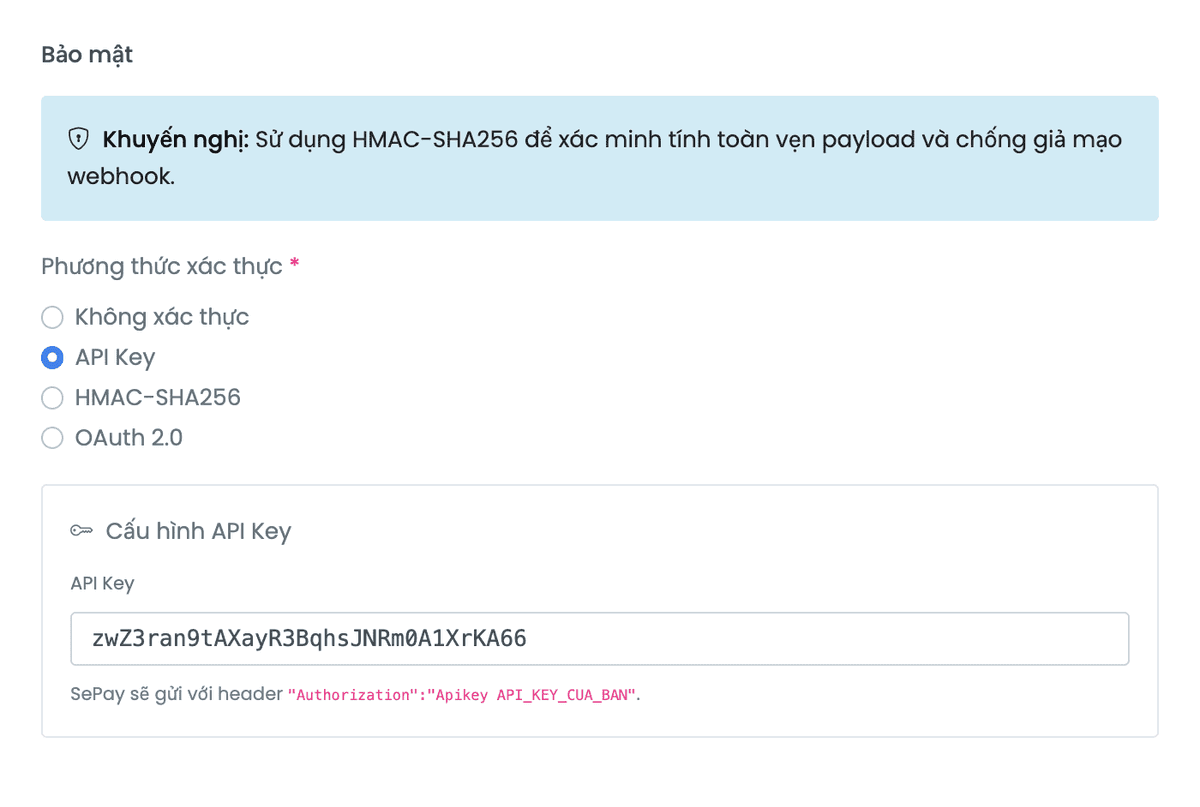
After saving, only the last 4 characters are shown (****xxxx). SePay does not store the plaintext. Copy it into your environment variable right when you create it. If you forget or suspect a leak, generate a new API Key.
API Key authenticates the sender but doesn't guarantee the data wasn't modified in transit. For stronger security use HMAC-SHA256.
HMAC-SHA256
The most secure option. SePay signs each request, your server reconstructs the signature to verify.
Headers SePay sends
sha256={hex_hash}How SePay signs
- Get the current timestamp (Unix seconds)
- Concat:
{timestamp}.{raw_body} - Compute HMAC-SHA256 with the Secret Key
- Send header
X-SePay-Signature: sha256={hex_hash} - Send header
X-SePay-Timestamp: {timestamp}
SePay signs the raw bytes of the body. If middleware (express.json(), Fastify default, ...) parsed the body and you JSON.stringify(req.body) it back, the signature won't match because:
- PHP escapes Unicode to
\uXXXX, JavaScript doesn't - JSON key order can change
- Whitespace can differ
How to read the raw body: Node.js express.raw({ type: 'application/json' }), PHP file_get_contents('php://input'), Python request.get_data(as_text=True).
If the webhook is configured for application/x-www-form-urlencoded or multipart/form-data, SePay signs the form-encoded string (like PHP's http_build_query). Still use the raw body.
Signature verification code
<?php$signature = $_SERVER['HTTP_X_SEPAY_SIGNATURE'] ?? '';$timestamp = (int) ($_SERVER['HTTP_X_SEPAY_TIMESTAMP'] ?? 0);$body = file_get_contents('php://input');$secret = getenv('SEPAY_WEBHOOK_SECRET');// Anti-replay: reject timestamps off by more than 5 minutesif (abs(time() - $timestamp) > 300) {http_response_code(401);echo json_encode(['success' => false, 'message' => 'Request expired']);exit;}// Reconstruct the signature and compare in constant time$expected = 'sha256=' . hash_hmac('sha256', $timestamp . '.' . $body, $secret);if (!hash_equals($expected, $signature)) {http_response_code(401);echo json_encode(['success' => false, 'message' => 'Invalid signature']);exit;}$payload = json_decode($body, true);// ... handle transaction ...echo json_encode(['success' => true]);
Configuration
- Create/edit the webhook, pick HMAC-SHA256 in the Security step
- Enter a Secret Key or click the auto-generate button
- Store the Secret Key in an environment variable (
SEPAY_WEBHOOK_SECRET)
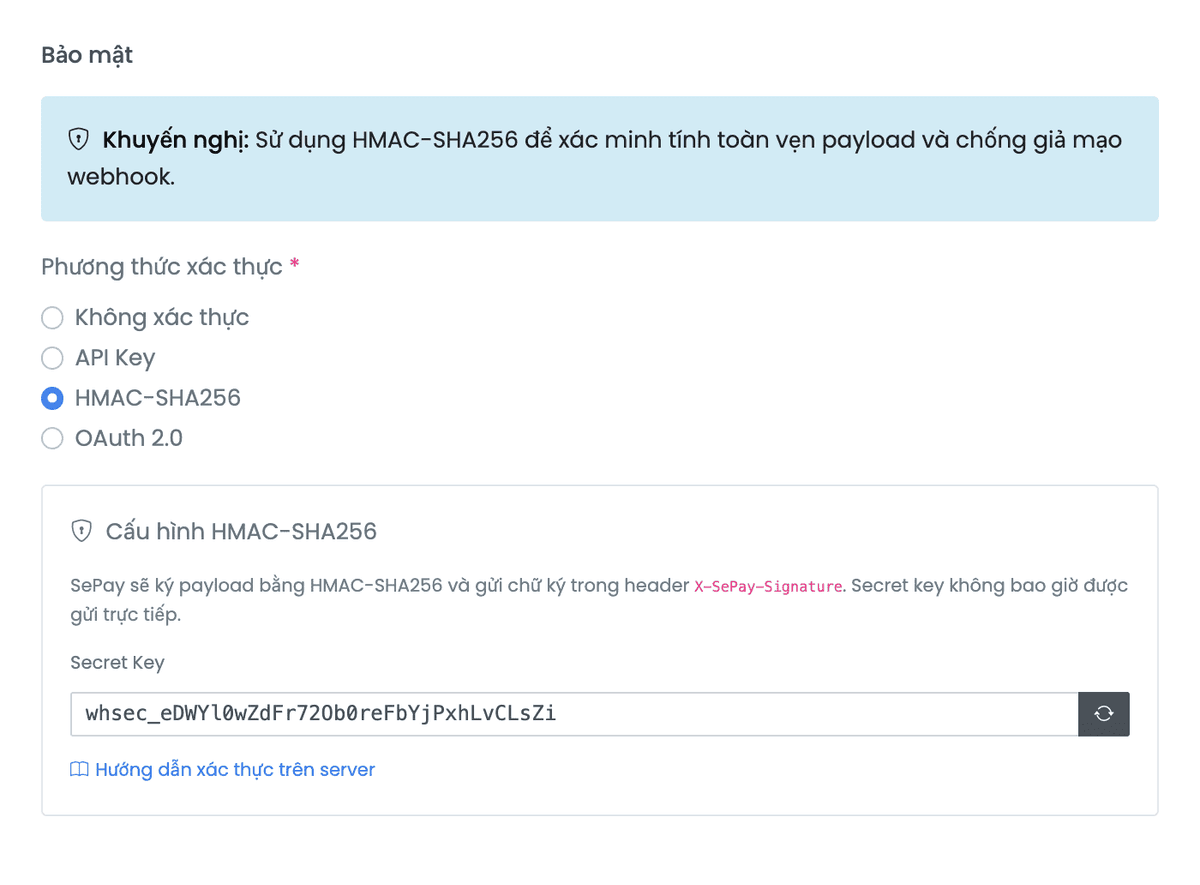
After saving, only the last 4 characters are shown (****xxxx) — SePay does not store the plaintext. Copy it into your environment variable right when you create it. Don't commit to source code, don't send over email or chat. If you forget or suspect a leak, generate a new Secret Key.
Common errors
| Issue | Cause | Fix |
|---|---|---|
| Signature mismatch | Middleware parses then re-serializes the body | Use the raw body |
| Signature mismatch | Wrong Secret Key | Check the env var |
| Signature mismatch | Missing timestamp in the signed string | Use format {timestamp}.{body} |
| Timestamp too old | Server clock drift | Enable NTP for auto time sync |
OAuth 2.0
Flow: SePay calls your token endpoint to fetch an access token, then sends webhooks with header Authorization: Bearer {access_token}. Tokens approaching expiration are refreshed or re-issued automatically.
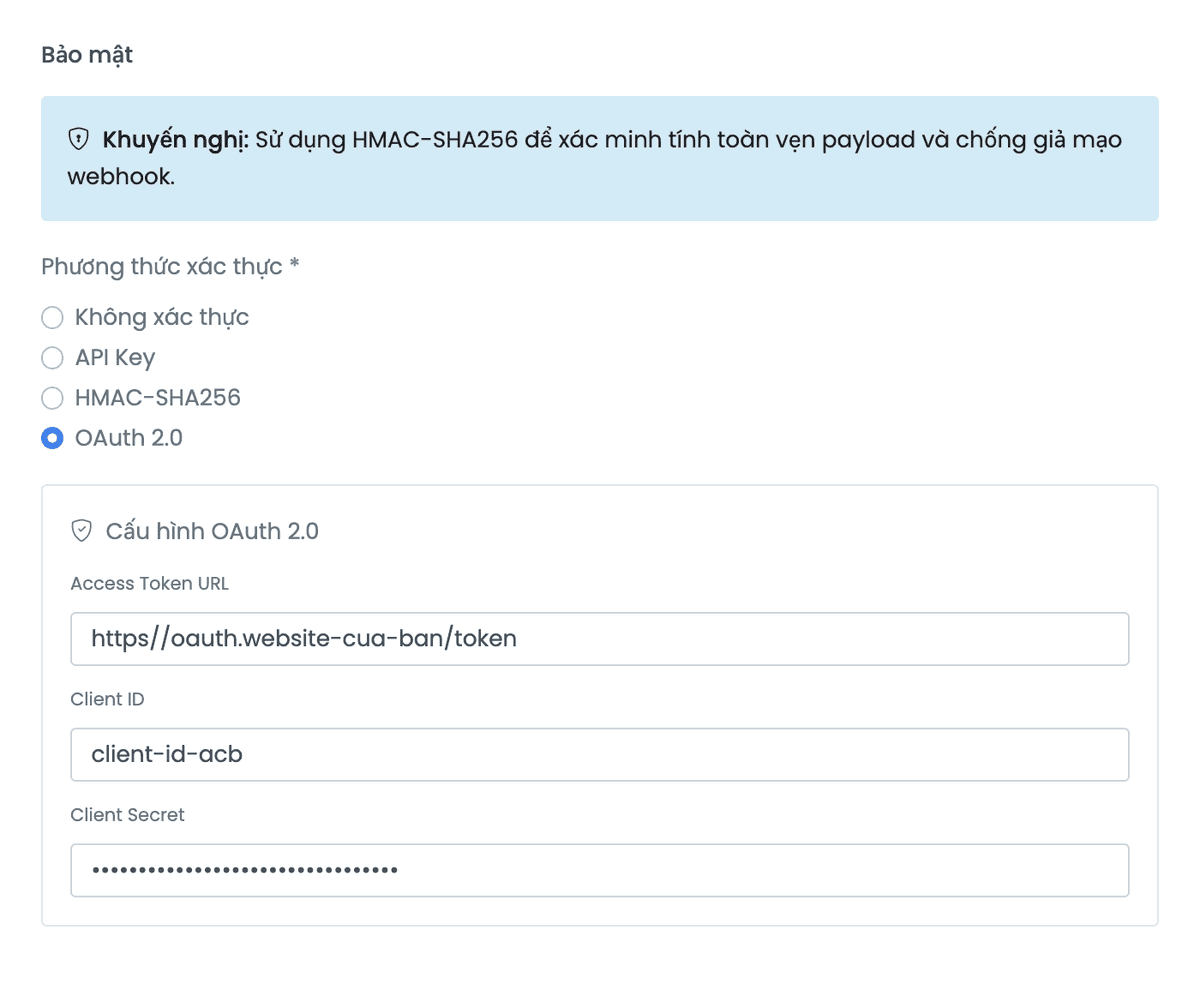
Two formats supported
| Standard | Custom | |
|---|---|---|
| Request | application/x-www-form-urlencoded | application/json |
| Body | grant_type=client_credentials | {"clientId": "...", "clientSecret": "..."} |
| Response | {"access_token": "...", "expires_in": 3600} | {"data": {"accessToken": "...", "expiredIn": 3600}} |
When fetching a token, SePay tries Standard first. If the response doesn't match, it falls back to Custom. New integrations should use Standard; existing Custom users don't need to migrate.
Standard
OAuth 2.0 client credentials. Most frameworks support this out of the box. SePay sends a request to your token endpoint:
curl -X POST https://your-server.com/oauth/token \-H "Content-Type: application/x-www-form-urlencoded" \-u "YOUR_CLIENT_ID:YOUR_CLIENT_SECRET" \-d "grant_type=client_credentials"
Body params (application/x-www-form-urlencoded):
client_credentialsResponse:
{
  "access_token": "eyJhbGci...",
  "token_type": "Bearer",
  "expires_in": 3600,
  "refresh_token": "dGhpcyBpcyBh..."
}Authorization: Bearer {access_token}Sample server endpoint:
<?php$auth = $_SERVER['HTTP_AUTHORIZATION'] ?? '';$grantType = $_POST['grant_type'] ?? '';if ($grantType !== 'client_credentials') {http_response_code(400);echo json_encode(['error' => 'unsupported_grant_type']);exit;}$expected = 'Basic ' . base64_encode(getenv('CLIENT_ID') . ':' . getenv('CLIENT_SECRET'));if (!hash_equals($expected, $auth)) {http_response_code(401);echo json_encode(['error' => 'invalid_client']);exit;}echo json_encode(['access_token' => bin2hex(random_bytes(32)),'token_type' => 'Bearer','expires_in' => 3600,]);
Custom
Backward-compatible for older integrations. Don't migrate if it's working.
curl -X POST https://your-server.com/oauth/token \-H "Content-Type: application/json" \-d '{"clientId":"YOUR_CLIENT_ID","clientSecret":"YOUR_CLIENT_SECRET"}'
Body params (application/json):
Response:
{
  "data": {
    "accessToken": "eyJhbGci...",
    "refreshToken": "eyJhbGci...",
    "expiredIn": 3600
  }
}Refresh Token
When the token has less than 10 seconds left, SePay refreshes. If refresh fails, SePay requests a fresh token from scratch.
Standard: grant_type=refresh_token + refresh_token form-urlencoded.
Custom: JSON {"clientId": "...", "clientSecret": "...", "refreshToken": "..."}.
SePay tries Standard first, falls back to Custom on failure.
Sending the webhook
Once SePay has the token:
POST https://your-webhook-url
Authorization: Bearer eyJhbGci...
Content-Type: application/json
The endpoint must return 200/201 with {"success": true} to count as success. Anything else is treated as a failure.
Notes
- The token endpoint must be HTTPS
- A failing token endpoint retries on the same webhook delivery schedule, see Error handling
- OAuth auth failing and webhook not arriving? See OAuth 2.0 diagnostics
Reopening only shows the last 4 characters (****xxxx). SePay does not store the plaintext. Copy it right when you create it. If you forget, generate a new Client Secret (Client ID stays the same).
Next
- Security: HTTPS, IP whitelist, replay protection
- Integrate webhook: payload, valid response, deduplication
- Error handling: retry, diagnostics