To create and manage webhooks, open the SePay Dashboard, then go to Integrations → Webhooks. New webhooks are created through a 4-step form. Use the ⋮ menu on each row to edit, clone, or test-send a webhook.
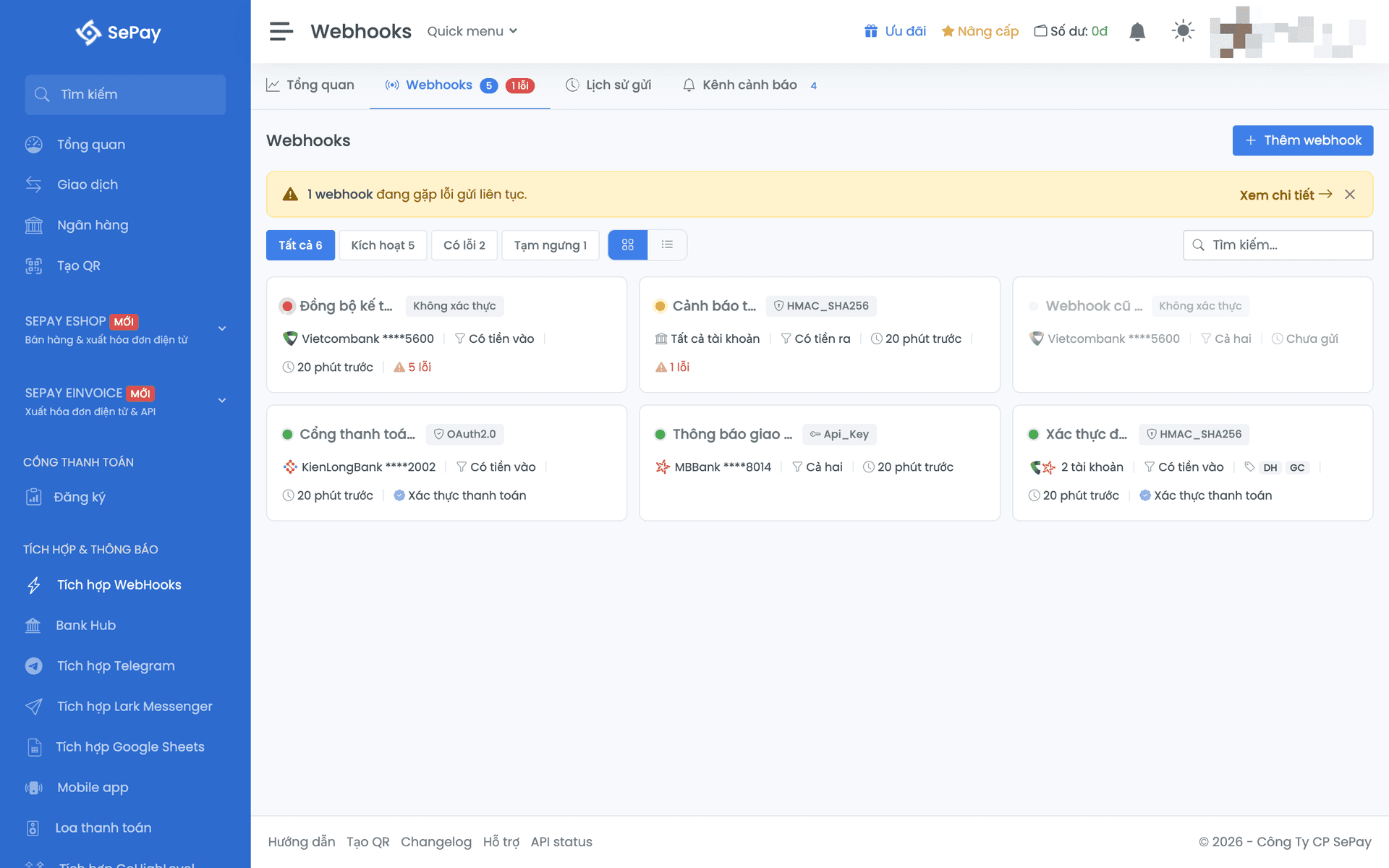
4-step wizard
Click Add webhook.
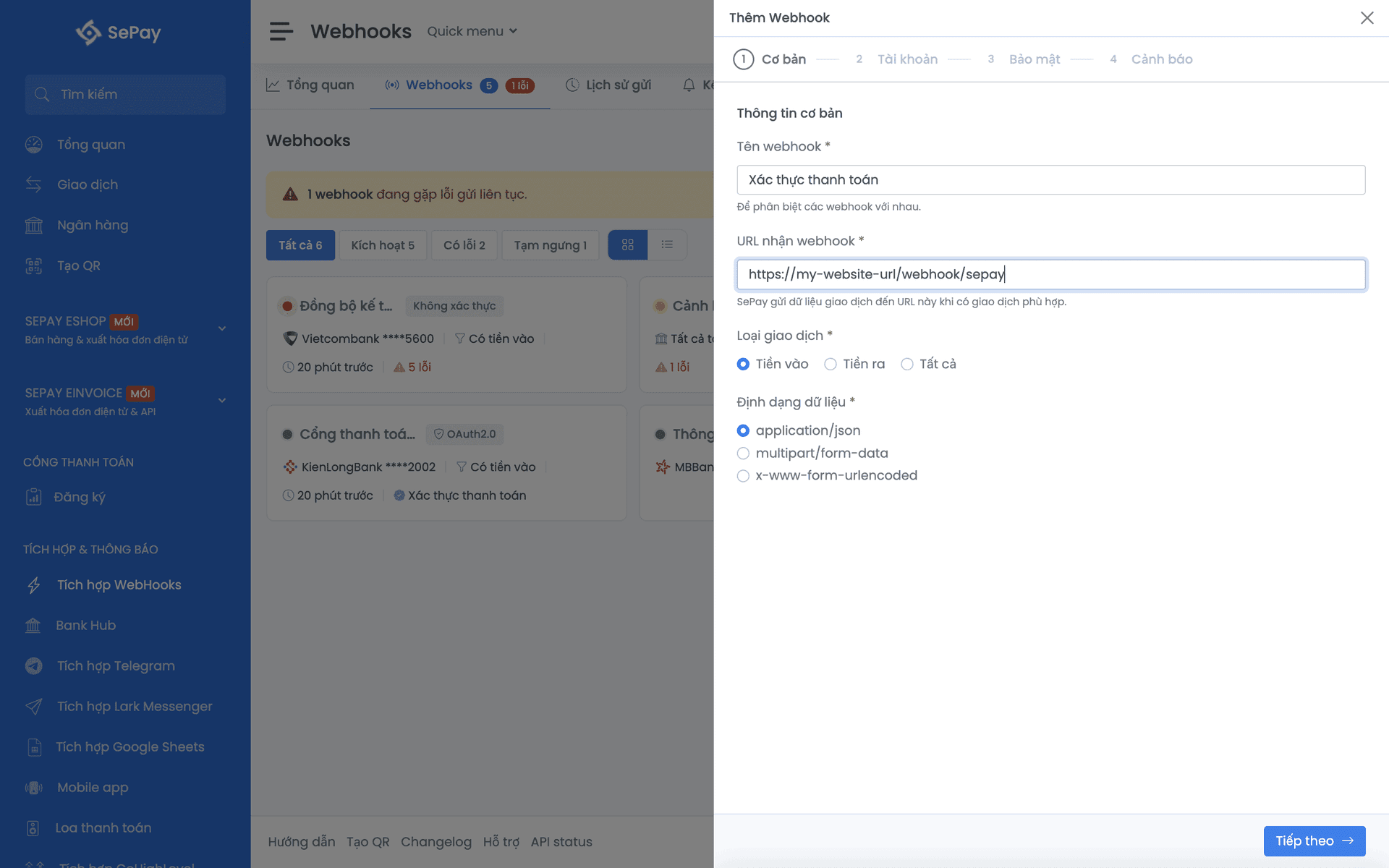
Step 1: Basics
- Name: memorable, e.g. "Website orders payment"
- URL: the HTTP endpoint on your server that SePay will POST to. Must be HTTPS in production
- Event type: see Event types below
- Content-Type: leave as
application/json(details if you need to change it) - Auto retry: enable to let SePay retry when your server returns an error. Retry schedule: Error handling
Step 2: Accounts
Pick which bank accounts trigger the webhook.
- All accounts: every account triggers; new accounts linked later are auto-included.
- Specific accounts: pick per account, configure VA per bank.
You can also configure the payment-code prefix filter and the "Skip transactions without code" toggle in this step. See Filters below.
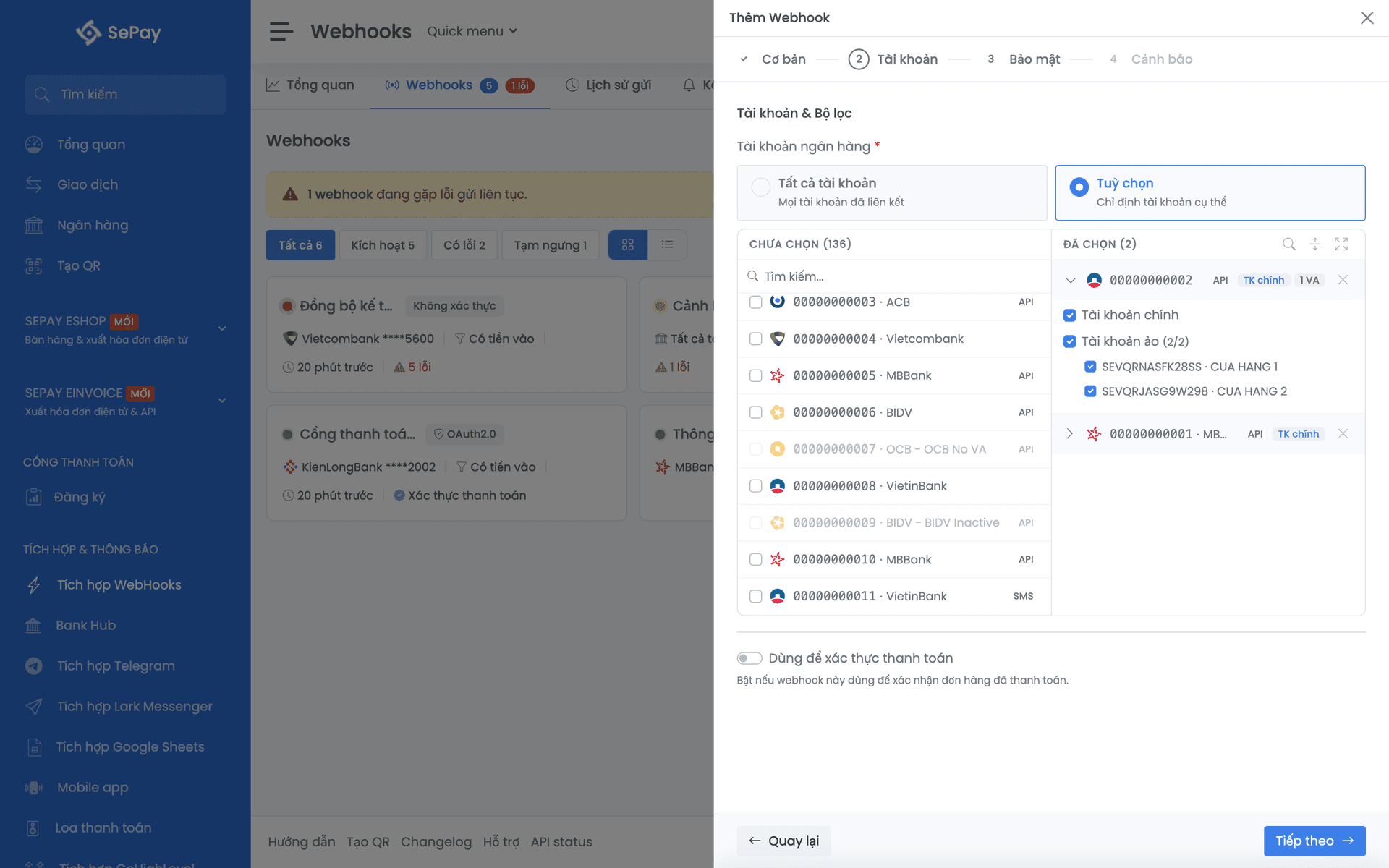
Account + VA details: Bank accounts.
Step 3: Security
Pick how SePay authenticates with your endpoint:
- None: testing only
- API Key: header
Authorization: Apikey ... - HMAC-SHA256 (recommended): signature in headers
- OAuth 2.0: Bearer token via a token endpoint
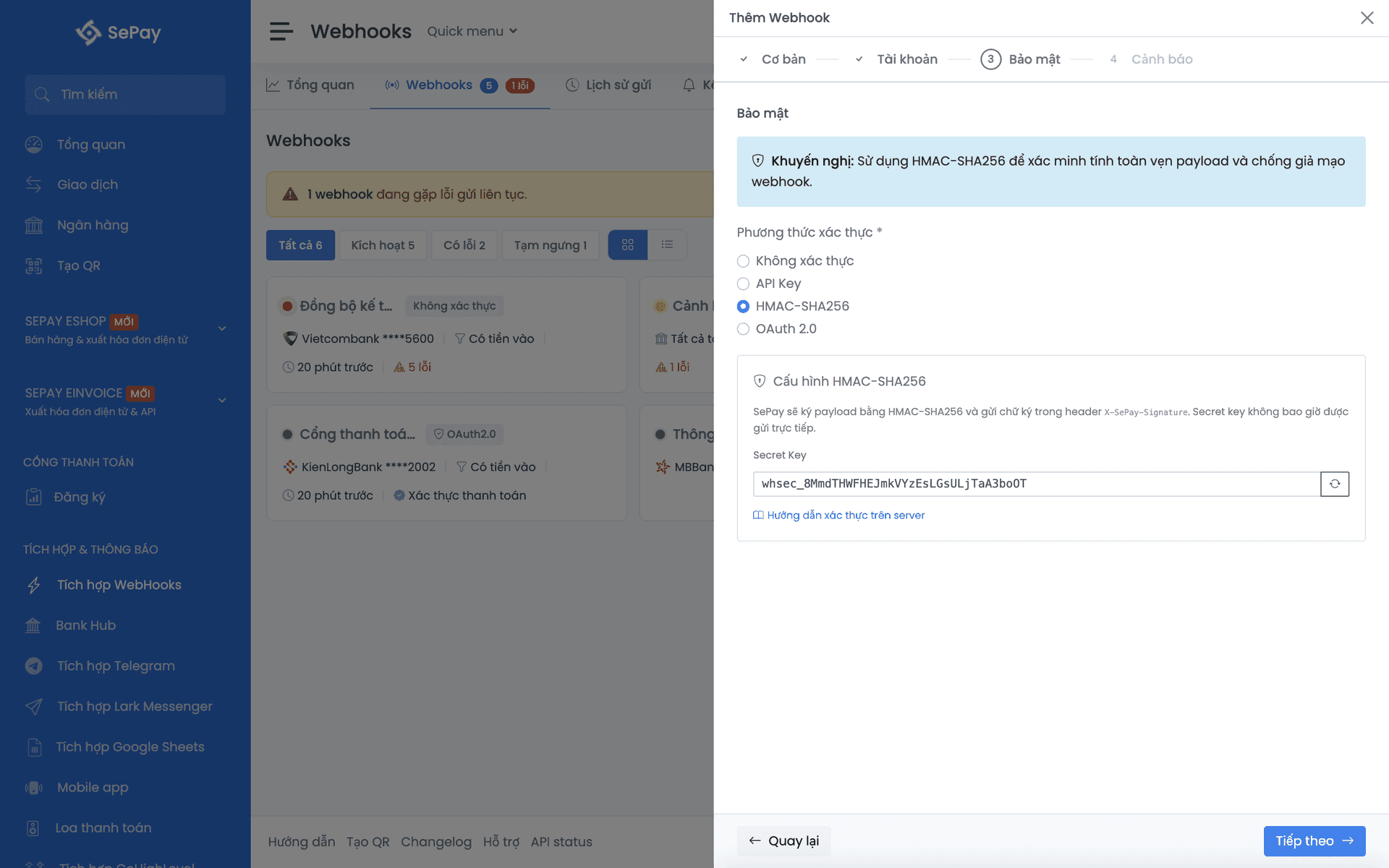
Comparison and code samples: Authentication.
Step 4: Alerts
- Enable/disable alerts
- Consecutive-failure threshold before sending (1–20, default 3)
- Channels: Telegram, Slack, Discord
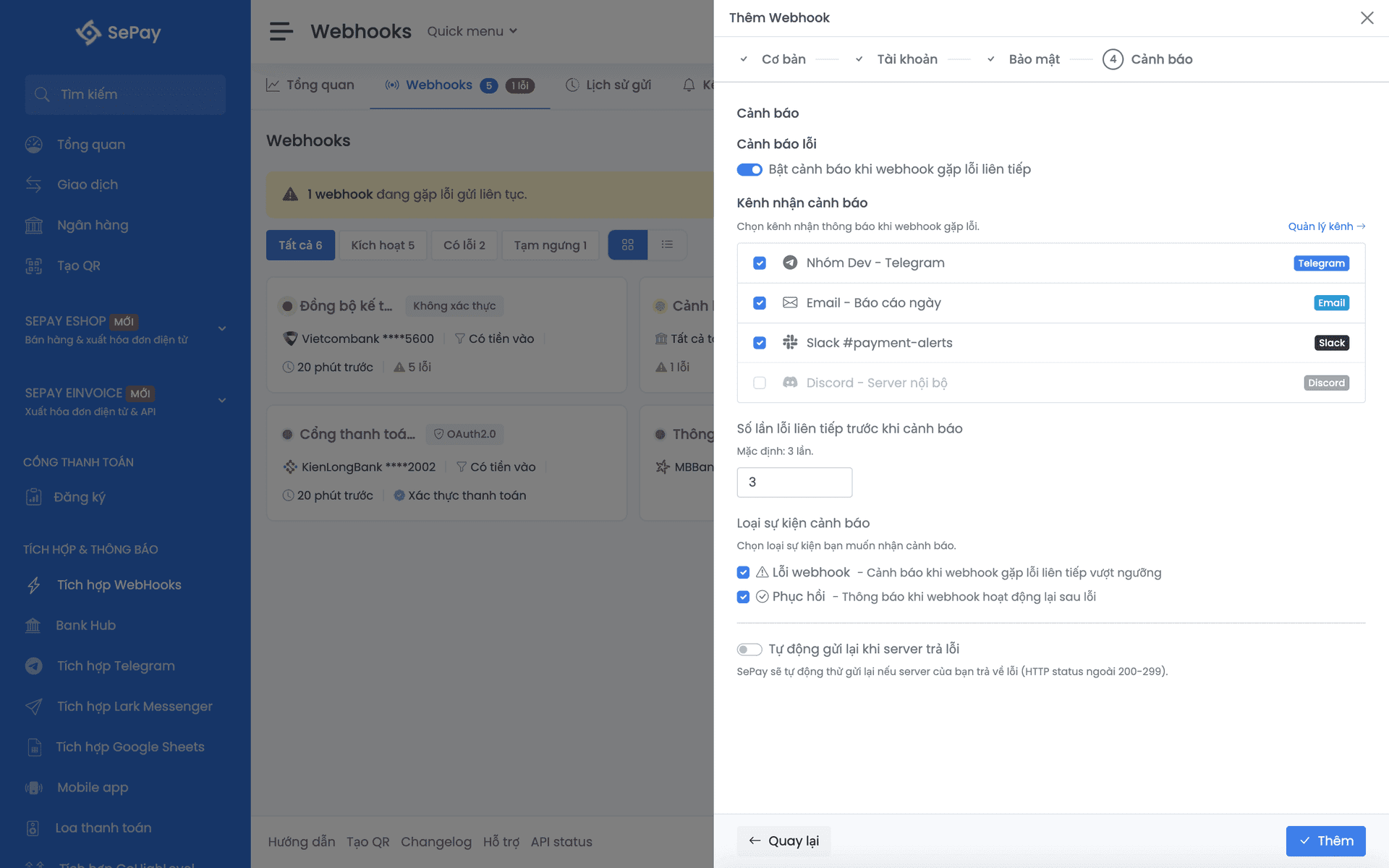
Channel setup: Monitoring.
Event types
| Type | Webhook fires when |
|---|---|
| Money in | Money is transferred into the account |
| Money out | Money is transferred out |
| Both | Any transaction |
Money out has constraints: only Sacombank, TPBank, VietinBank are supported, and TKP (memo-based VA) must be used (no official VA). See Note when choosing Money out only.
For payment-confirmation webhooks, Money in is usually enough.
Filters
Filter by payment-code prefix
Tell SePay to only fire the webhook when the payment code starts with a specific prefix.
Example: customer transfers with content GCDONHANG001. SePay extracts the code GCDONHANG001. Webhook configured with prefix GC → code starts with GC → fire.
| Prefix | Payment code | Result |
|---|---|---|
GC | GCDONHANG001 | Fire |
GC | ORDERDONHANG001 | Skip |
GC, ORDER | ORDERDONHANG001 | Fire (matches ORDER) |
| (none) | Any | Fire all |
First, configure the code structure at Company → General settings → Payment code structure. Then in the wizard's Accounts step you'll see the prefix selector.
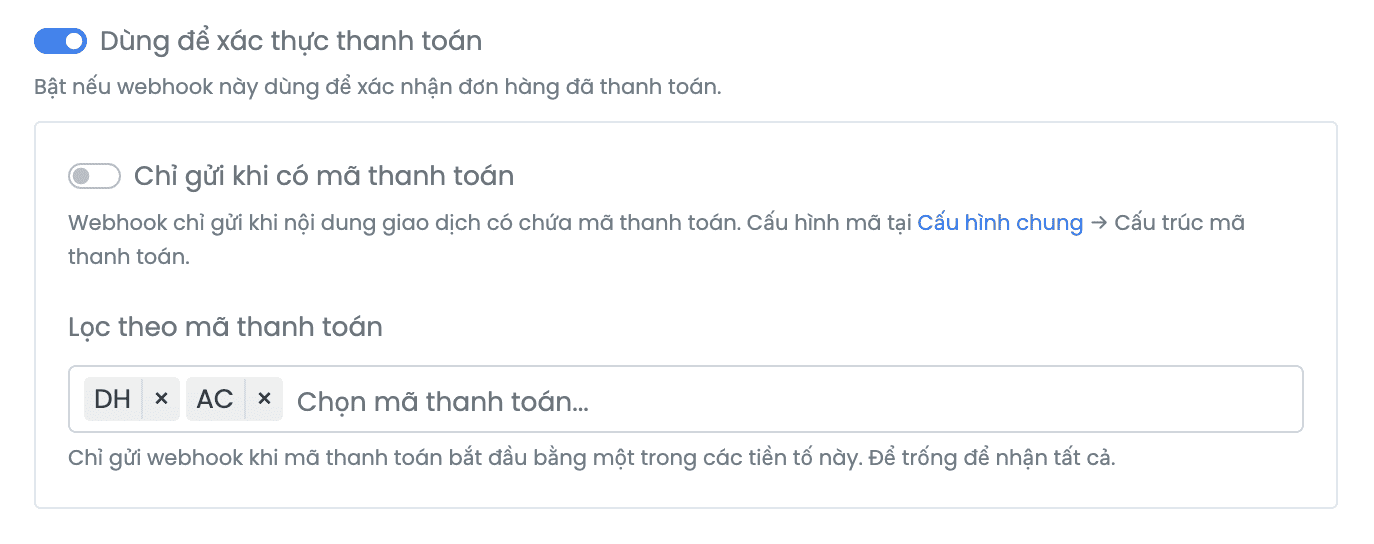
Prefixes are case-sensitive. GC and gc are two different prefixes.
Skip transactions without a code
When enabled, SePay only fires the webhook for transactions that have a payment code. Transactions with empty content or content that doesn't match the structure are skipped.
Check order
For each new transaction, SePay checks in order:
- Does the transaction belong to a configured account?
- If VA is configured, does the transaction match any VA?
- Is the event type (in/out) correct?
- Does the transaction have a payment code? (if "skip" is on)
- Does the code start with one of the selected prefixes?
The webhook fires only when all conditions pass.
Test send
Click ⋮ → Test send to verify your endpoint before any real transaction. SePay sends a sample payload to the URL and shows the HTTP status + response body immediately.
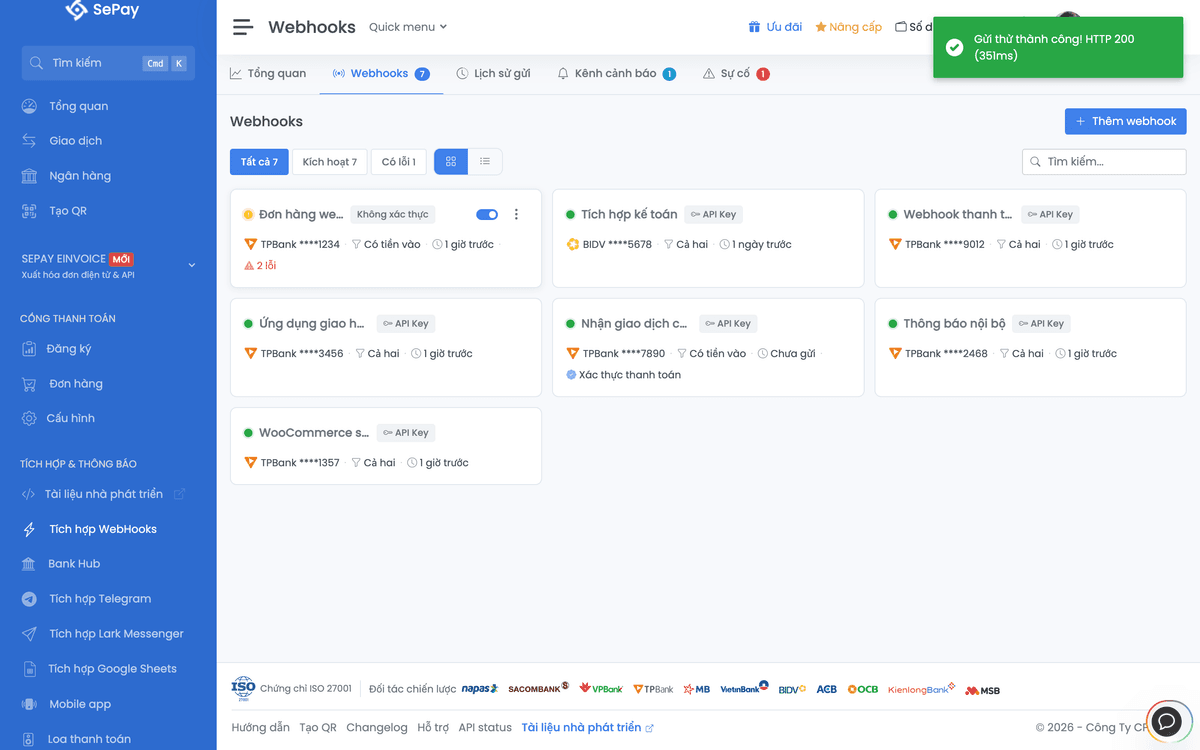
The JSON structure matches, but id is a mock number (typically 0) and other fields are sample data. Don't hardcode test values into your code. Even after a successful test send, retest with a real transaction (small transfer into the account).
Manage webhooks
Next
- Integrate webhook: payload structure, valid response, idempotency
- Authentication: HMAC-SHA256, API Key, OAuth 2.0
- Bank accounts: supported banks + VA