Sandbox is the SePay API v2 test environment, fully isolated from Production. You test the full set of transaction, bank account, and VA query APIs using simulated data, without touching real transaction data or linking a real bank account. That makes Sandbox a good fit for development, automated testing, and teaching API integration.
Sandbox base URL
The base URL for the SePay API v2 Sandbox environment:
| Environment | Base URL |
|---|---|
| Sandbox | https://userapi-sandbox.sepay.vn/v2 |
Get a Sandbox token
Create a Sandbox token in API Access while in Test mode on the Dashboard. Production and Sandbox tokens are separate sets, and each one only authenticates on its own environment's base URL.
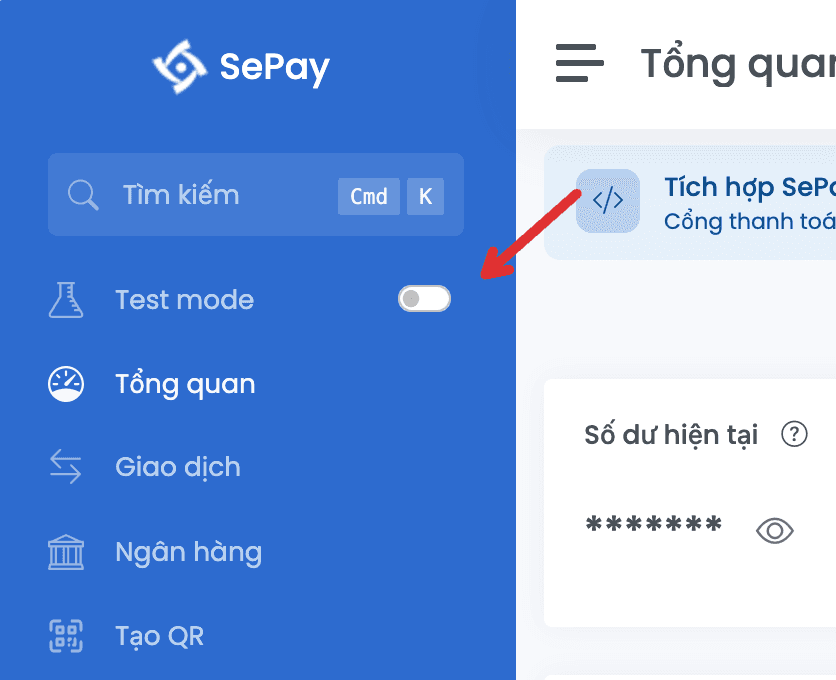
1. Enable Test mode
On my.sepay.vn, open Test mode in the sidebar and flip the switch on. A yellow Test mode banner at the top confirms you are in the test environment.
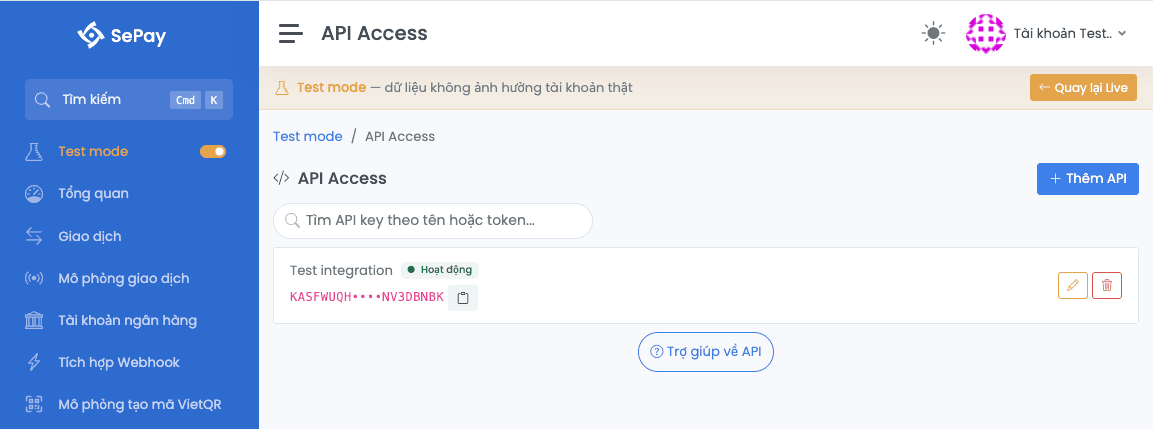
2. Open API Access in Test mode
Go to Company Settings → API Access. Every token created here only authenticates on userapi-sandbox.sepay.vn/v2, fully isolated from Production.
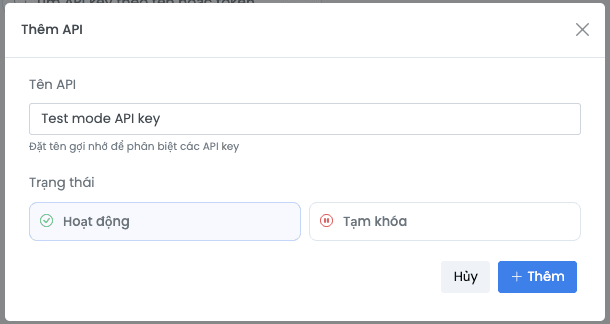
3. Create and copy the token
Click Create token, name it, and confirm. The token is shown in full only once right after creation, so copy it immediately to a safe place for use in the Authorization: Bearer header.
For the full walkthrough, see API Access in Test mode.
Transaction, account, and VA data in Sandbox comes from simulated transactions in Test mode, fully isolated from Production.
Call the API on Sandbox
Set the Sandbox base URL userapi-sandbox.sepay.vn/v2 and send your Sandbox Bearer token in the header:
curl https://userapi-sandbox.sepay.vn/v2/transactions \-H 'Authorization: Bearer YOUR_SANDBOX_TOKEN'
For how to send the token, the rate limit, and handling 401/429 errors, see Authentication & Rate Limiting.
The entire Order VAs API (BIDV, Sacombank, Vietcombank, VietinBank, Shinhan Bank) is supported on the Sandbox: create orders, VA prefixes, terminals and simulate payments in Test mode.
Switch to Production when ready
Once your Sandbox tests pass, create a Production token in Live mode, update your application config with the new token in place of the Sandbox one, and change the base URL to https://userapi.sepay.vn/v2. The rest of your integration stays the same.