API Token is shared between API v1 and v2. If you already have a token from v1, you can reuse it without creating a new one.
Steps to Create API Token
-
Step 1: Go to Company Settings → API Access
Create a Test mode tokenFor integration testing without affecting Live data, toggle Test mode in the my.sepay.vn sidebar then open API Access while in Test mode. Tokens created there only authenticate against the
userapi-sandbox.sepay.vnendpoint and are fully isolated from Production. Full guide: API Access in Test mode. -
Step 2: Click the + Add API button at the top right
-
Step 3: Fill in all information, including:
- Name: Enter any name you prefer
- Status: Select Active
-
Step 4: Click Add
- After adding successfully, you will see the API Token in the API Access list.
Currently, SePay does not support permission management for API. This means the created API Key has full access.
How to Use API Token
-
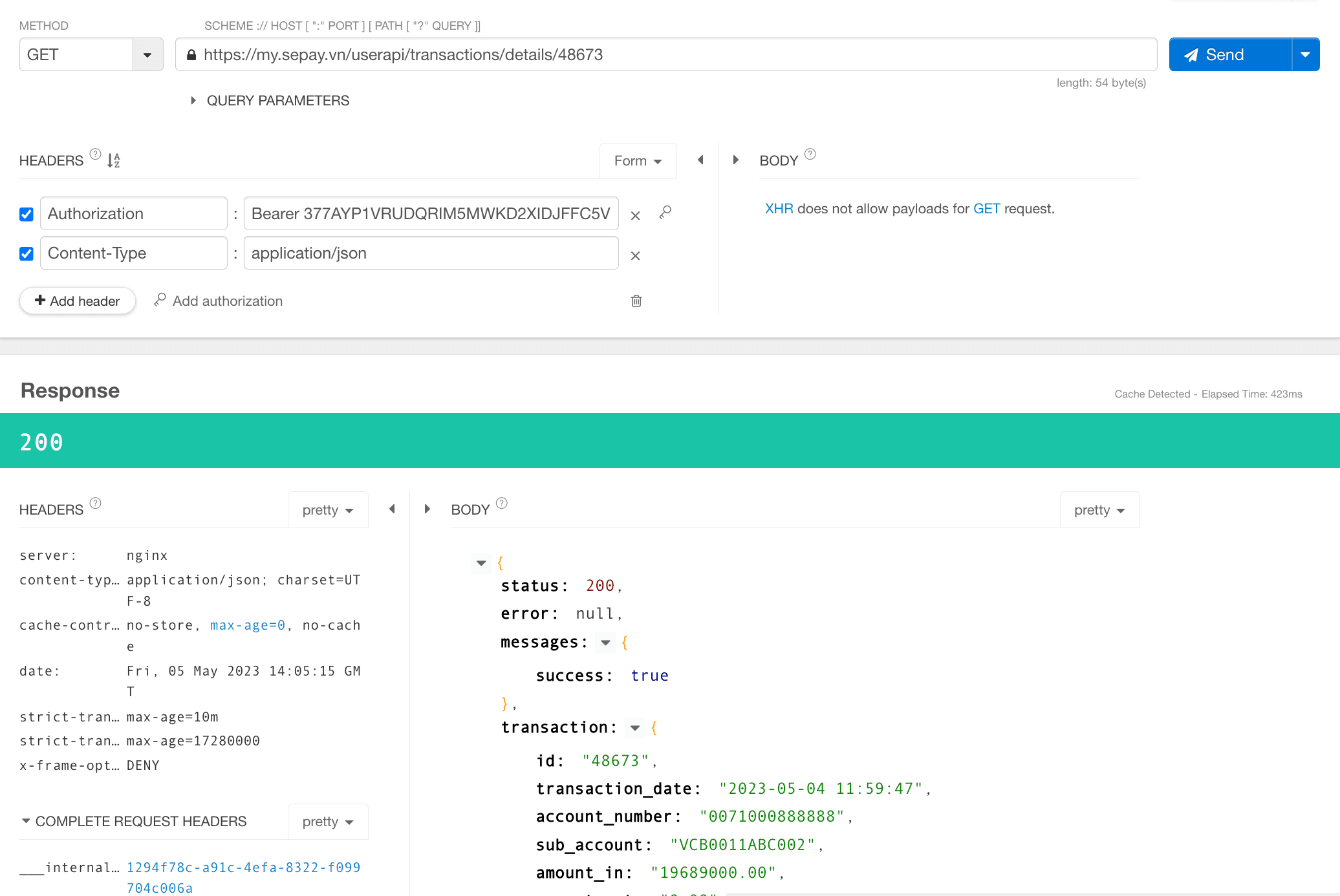
The API Token must be included in the header with every request to the SePay API. Use the format: Authorization: Bearer API_TOKEN
-
Example of using API Token to retrieve transaction information