Sandbox is the SePay Payment Gateway test environment, fully isolated from Production. You test the entire payment flow (create the form, redirect to the payment page, receive the IPN, redirect back) using simulated data, without touching real money or linking a real bank account. That makes Sandbox a good fit for development, automated testing, and teaching payment integration.
Sandbox environment URLs
A Sandbox integration uses two hosts, each with its own role:
| Role | Sandbox base URL |
|---|---|
| Submit payment form (Checkout) | https://pay-sandbox.sepay.vn/v1/checkout/init |
| REST API for orders, transactions | https://pgapi-sandbox.sepay.vn |
Your code submits the payment form to the Checkout host; the API host is only used when you call the REST API to look up orders or transactions. The REST API authenticates using Basic Auth: Authorization: Basic base64(merchant_id:secret_key). Note that Sandbox and Production each have their own merchant_id and secret_key, and each pair only works on its own environment.
Get your Sandbox credentials
Register at my.sepay.vn, then activate the Payment Gateway to receive your Sandbox credentials, with no Production approval wait.
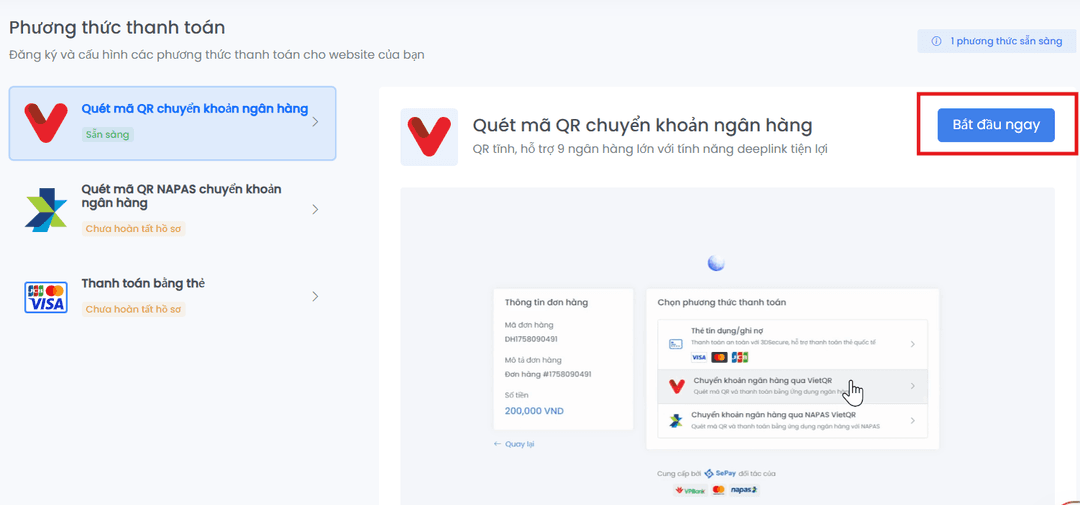
- Open Payment Gateway, select Register, then choose Start now on the payment methods screen.
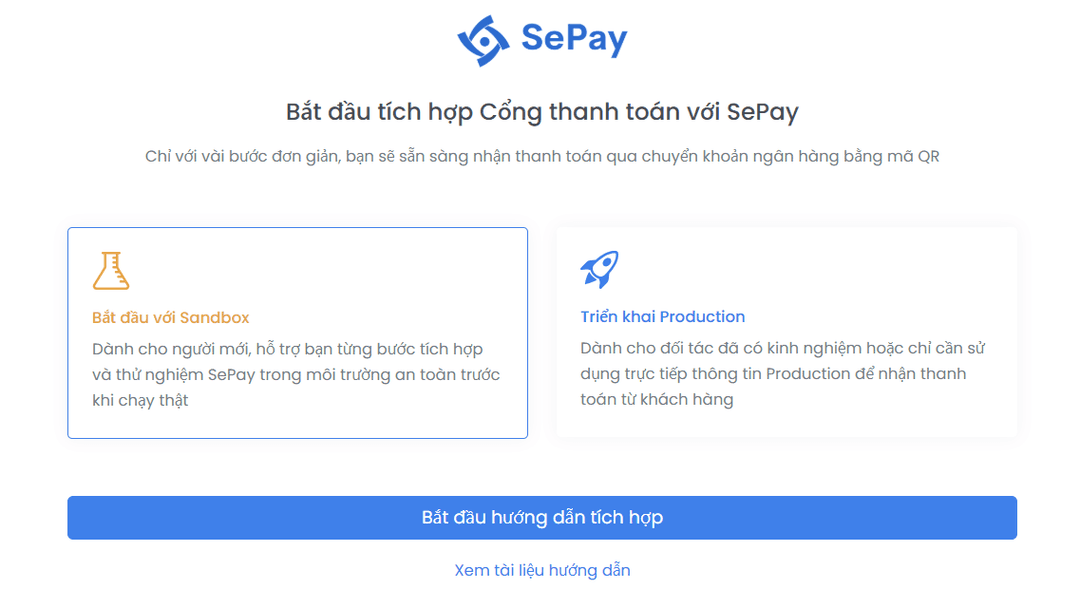
- Choose to start with Sandbox, then click Start the integration guide.
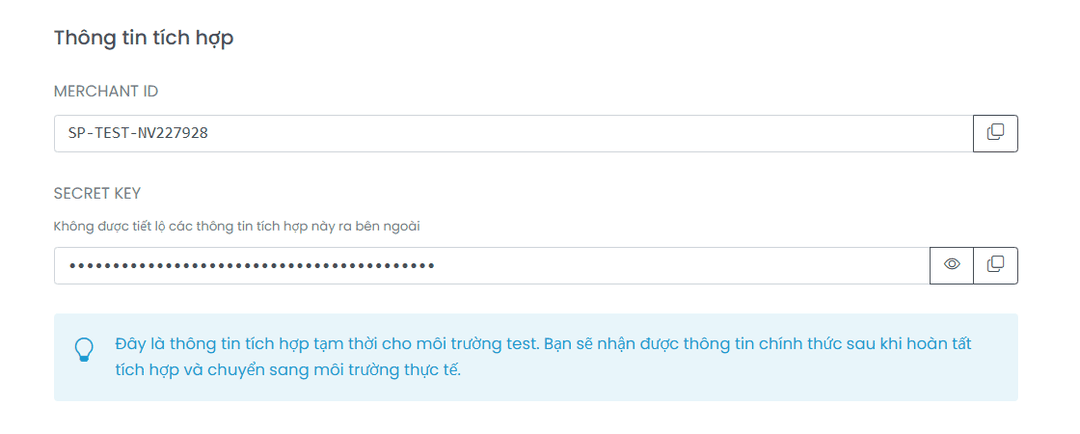
- Copy the Sandbox
MERCHANT IDandSECRET KEYto use in the integration steps below.
Point your integration at Sandbox
With the SDK, set the environment to sandbox; with a plain HTML form, point action at the Sandbox Checkout host pay-sandbox.sepay.vn:
use SePay\SePayClient;// The third argument is the environment: 'sandbox' or 'production'$sepay = new SePayClient('YOUR_SANDBOX_MERCHANT_ID', 'YOUR_SANDBOX_SECRET_KEY', 'sandbox');
For details on building the form, signing the request, and configuring the IPN, see the Quick Start.
Sandbox data is isolated from Production
- Sandbox transactions are simulated; they involve no real money and no Production bank account.
- Sandbox
merchant_idandsecret_keyonly authenticate on the Sandbox environment. - Your IPN and Callback URLs still fire as in Production, so you can test the full order lifecycle.
Test it in the browser
Run a complete Sandbox transaction right in your browser, no code required:
Try a test paymentSwitch to Production when ready
Once your Sandbox tests pass, link a real bank account, select Switch to Production to receive your official MERCHANT ID and SECRET KEY. Then switch to the Production base URLs: the Checkout host pay.sepay.vn and the REST API pgapi.sepay.vn, along with the Production IPN and Callback URLs. The detailed steps are in the Go live section of the Quick Start.