Create API Token
SePay uses API Token for authentication. Therefore, the first step you need to do is create an API Token.
API v1 Deprecated
API v1 is no longer being developed. Please use API v2 for new integrations. See the upgrade guide for details.
Steps to Create API Token
-
Step 1: Go to Company Settings → API Access
-
Step 2: Click the + Add API button at the top right
-
Step 3: Fill in all information, including:
- Name: Enter any name you prefer
- Status: Select Active
-
Step 4: Click Add
- After adding successfully, you will see the API Token in the API Access list.
Note
Currently, SePay does not support permission management for API. This means the created API Key has full access.
How to Use API Token
-
The API Token must be included in the header with every request to the SePay API. Use the format: Authorization: Bearer API_TOKEN
-
Example of using API Token to retrieve transaction information
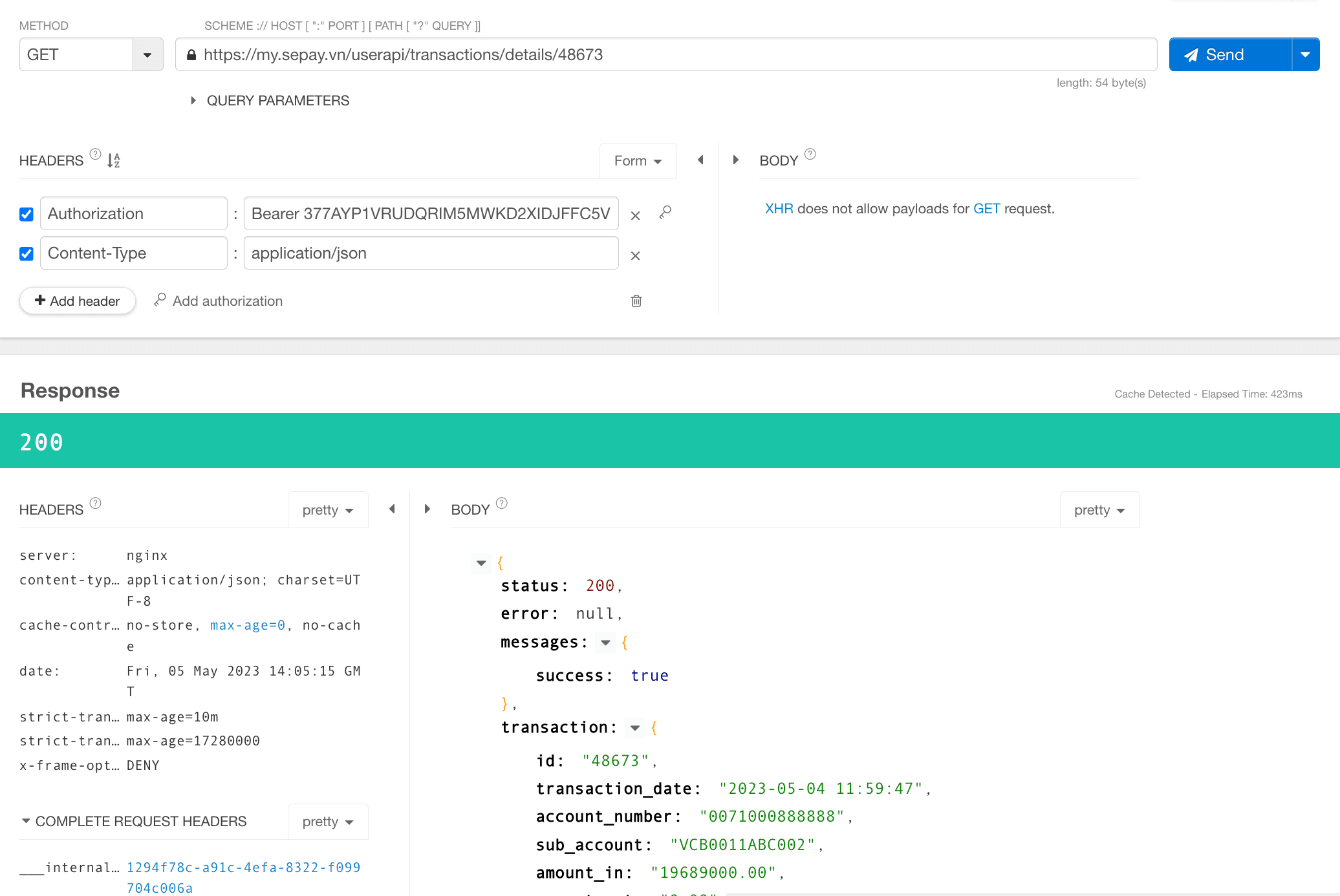
Click to expand